Free · Mac · Windows · any browser
Move a little, every 30 minutes.
Posture notices when you've been at your desk for half an hour, then guides a 2–3 minute movement break, with a 3D figure that shows you each move.
Version 0.3.0 · macOS 14 or later · preview: macOS asks once before opening it (how)
Or see every way to get it, or browse the 25 exercise guides.
- Every 30 minof active computer time
- 2–3 minutesa guided break, then back to work
- 25 movesa different mix every break
- No accountfree, and your data stays with you
How it works
No workout clothes and no floor space. Every move works at a desk, and most of them seated.
Work as usual
Posture counts only the time you're actually at the computer. Step away for a few minutes and that counts as a break already taken.
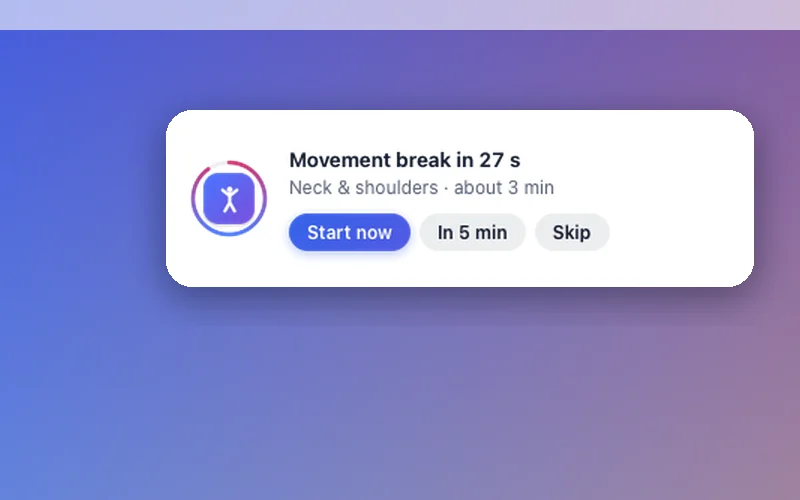
A heads-up, then a guided break
After about 30 minutes, a small card gives you 30 seconds' notice. Then a 3D guide walks you through 2–3 minutes of moves, with a timer and cues.
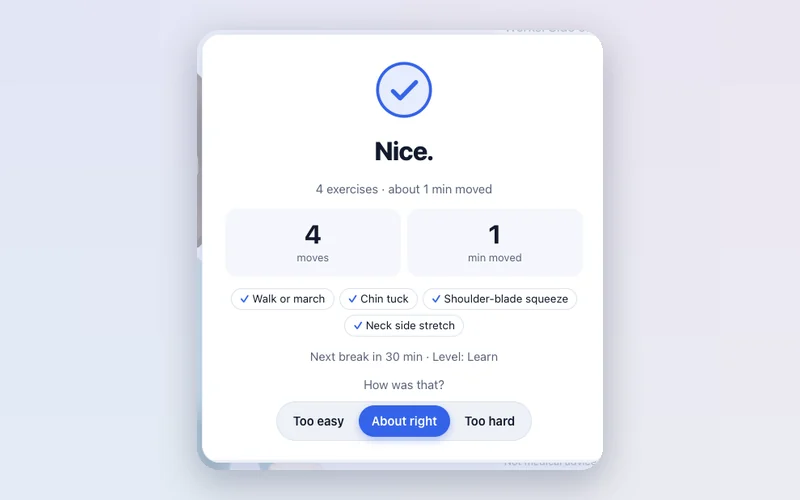
Back to work, looser
A different mix every time: a short walk, then moves for your neck, back, hips, wrists or eyes, so you're never doing the same four things.
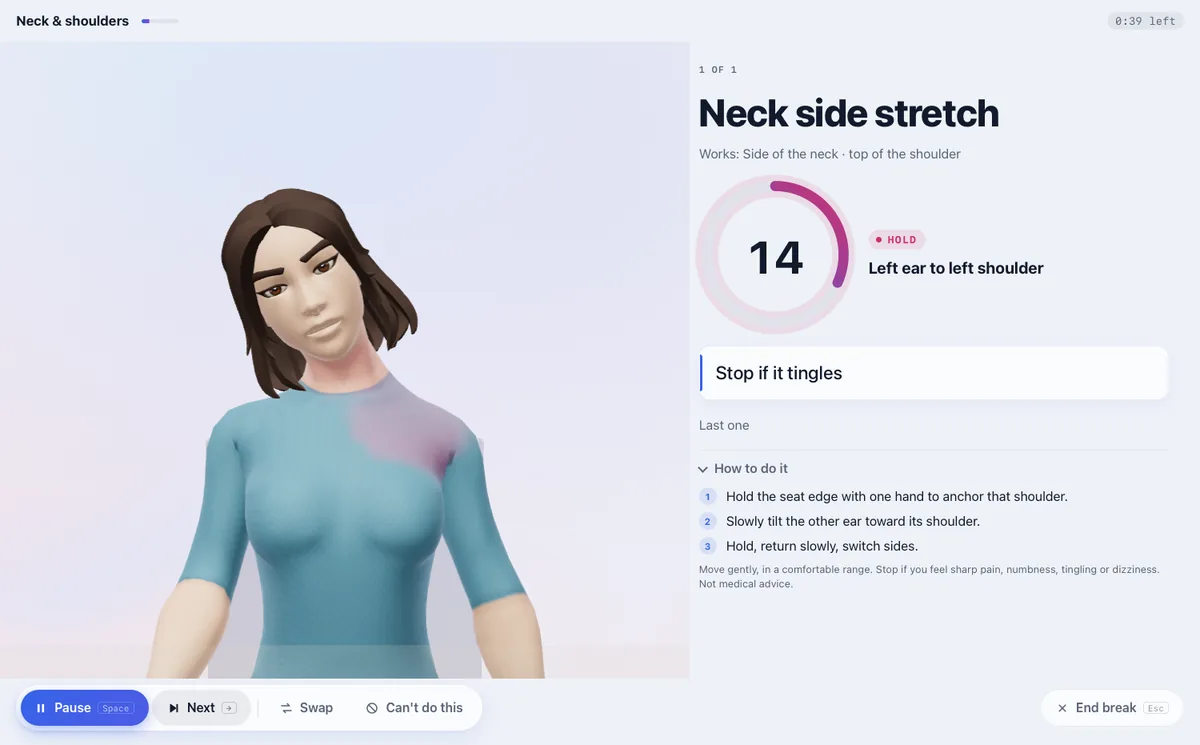
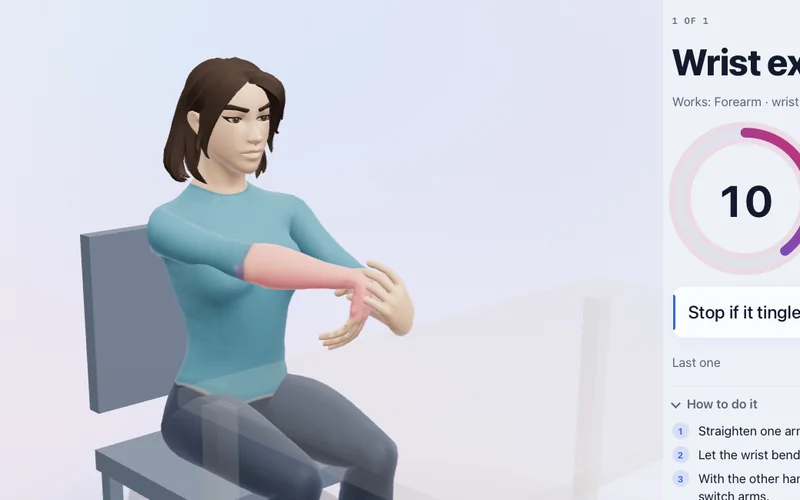
Follow along, no guessing
Every break shows you the move, times it, and talks you through it.
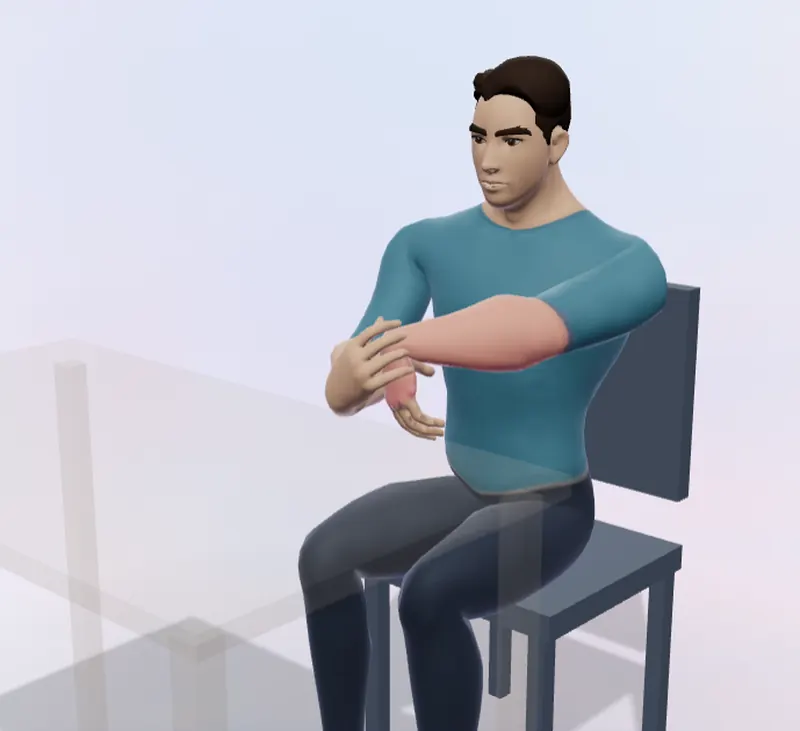
- See the move. The guide demonstrates it, with the working area glowing and arrows for direction.
- Know how long. A ring counts each hold and rep, so you never wonder when to stop.
- Swap what doesn't suit you. One click for another move, or hide it for good.
- Hands-free if you like. Spoken cues, and keyboard control: Space pauses, → skips.
Made to be used every day
A reminder is only useful if you don't switch it off. Posture tries hard not to annoy you.
A guide that shows you
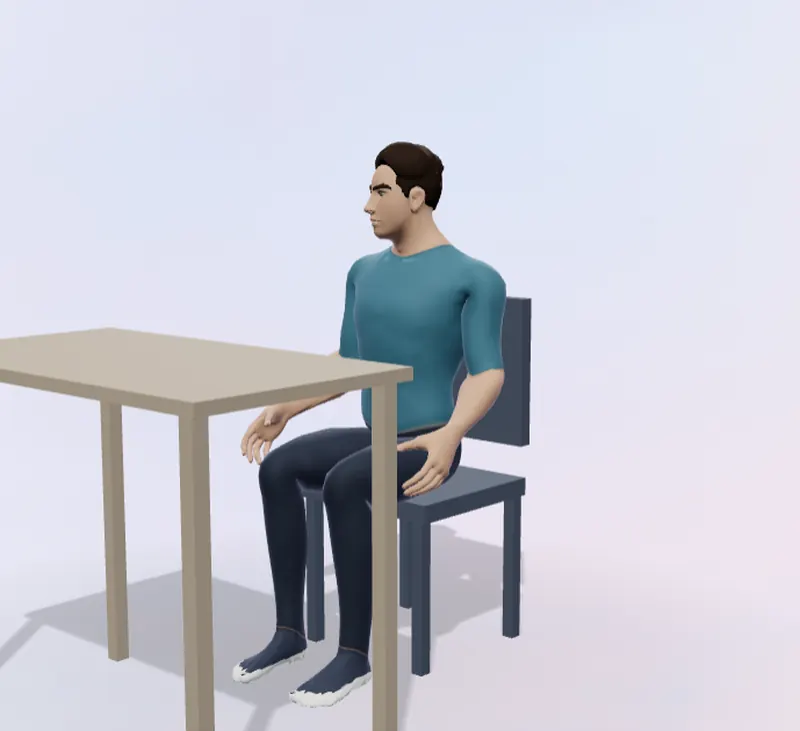
An animated 3D figure demonstrates every move, with the working muscles highlighted and arrows for direction. Mirror view means copying it matches the left/right cues.
Fits how you work
Sit, stand or switch: with a sit-stand desk, each break matches how you're working. Choose a focus on strength, stretching or mobility, and a health check leaves out moves that don't suit you.
Never in the way
On Mac it waits while you're on a call, presenting or in fullscreen. Snooze for 5 minutes or skip any time, and there are no guilt-trip streaks.
Private by design
No account. Your settings and history stay on your device, and Posture never turns on your camera or microphone.
 Theo
Theo Mia
Mia Sam
Sam Nina
Nina Marcus
 Mei
Mei
Choose your guide from six people. Theo and Mia also come in a cartoon style, and mirror view means copying the moves matches left and right.
Why every 30 minutes?
Sitting still for hours is the problem, not the lack of a perfect posture. Short, regular movement is what the research supports.
Breaking up sitting every 20–30 minutes with light movement improves blood sugar and insulin after meals, and walking does more than standing. This is the strongest and most consistent finding.
Dunstan et al. 2012, Diabetes Care · Buffey et al. 2022, Sports Medicine
In a Columbia University trial, five minutes of walking every 30 minutes was the dose that lowered both blood sugar and blood pressure.
Short active breaks of a few minutes can reduce discomfort and fatigue without costing productivity, though the evidence is still low in quality.
Waongenngarm et al. 2018, Applied Ergonomics · Cochrane review CD012886
Get Posture
The same guide and the same breaks everywhere. Free, with no account.
Mac
Lives in the menu bar, counts only active time, and waits while you're on a call or presenting. Opens at login if you like.
Download for Mac (preview)Version 0.3.0 · macOS 14 or later · Apple silicon and Intel · 2.0MB
First time opening it
- Open the download and drag Posture into Applications.
- Open Posture. macOS says it can't check the app: click Done.
- Open System Settings › Privacy & Security, scroll down and click Open Anyway next to Posture, then confirm.
This preview isn't notarised by Apple yet, so macOS asks once. After that it opens normally. (On macOS 14 you can instead right-click Posture › Open.)
Windows
Lives in the system tray, counts only active time, and waits while you're on a call or presenting. Opens at login if you like.
Download for WindowsVersion 0.2.6 · Windows 10 or 11 · 94 MB · Portable version (no install; runs from any folder or USB stick)
First time opening it
- Open the download. Windows may say Windows protected your PC.
- Click More info, then Run anyway. This preview isn't code-signed yet, so Windows asks once.
- Posture appears in the system tray (bottom right; it may be under the ^ arrow).
Can't install apps? Install the web version from Edge or Chrome instead.
Any browser
Linux, a Chromebook, a work laptop where you can't install anything: open it in a tab and turn on reminders.
Open Posture25 moves, each with a guide
Step-by-step instructions, what each move works, and who should skip it.
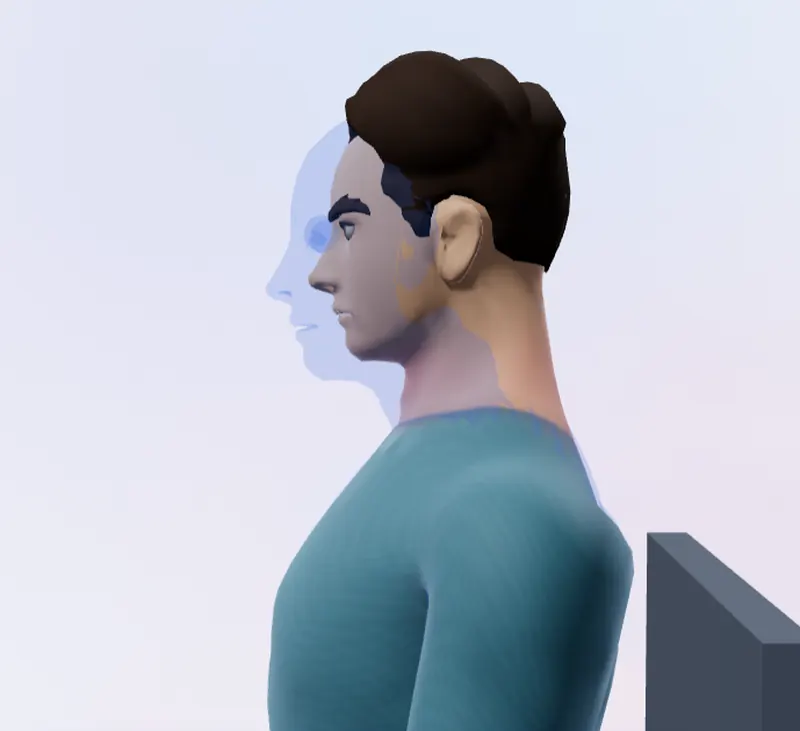 Chin tuck
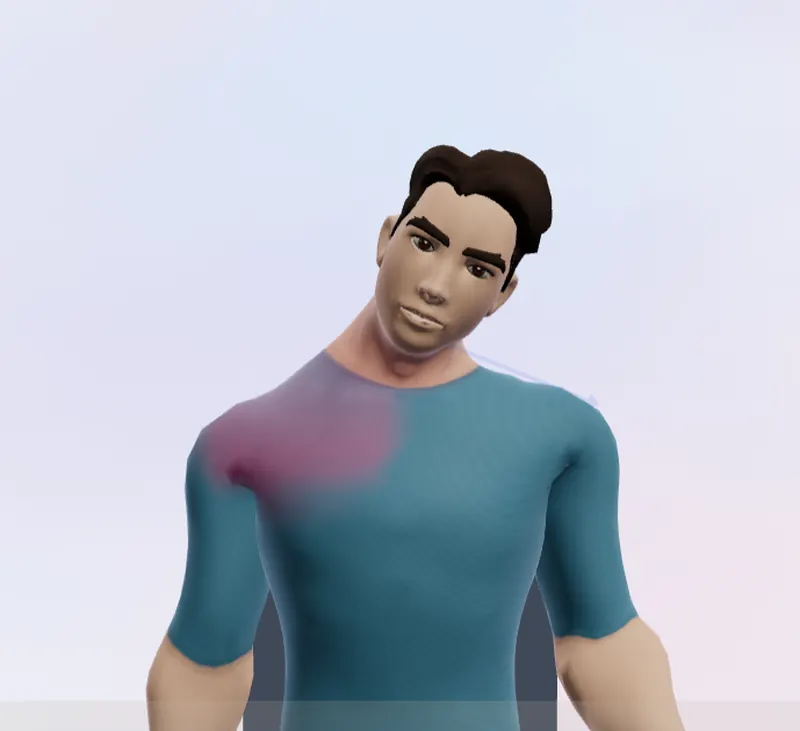 Neck side stretch
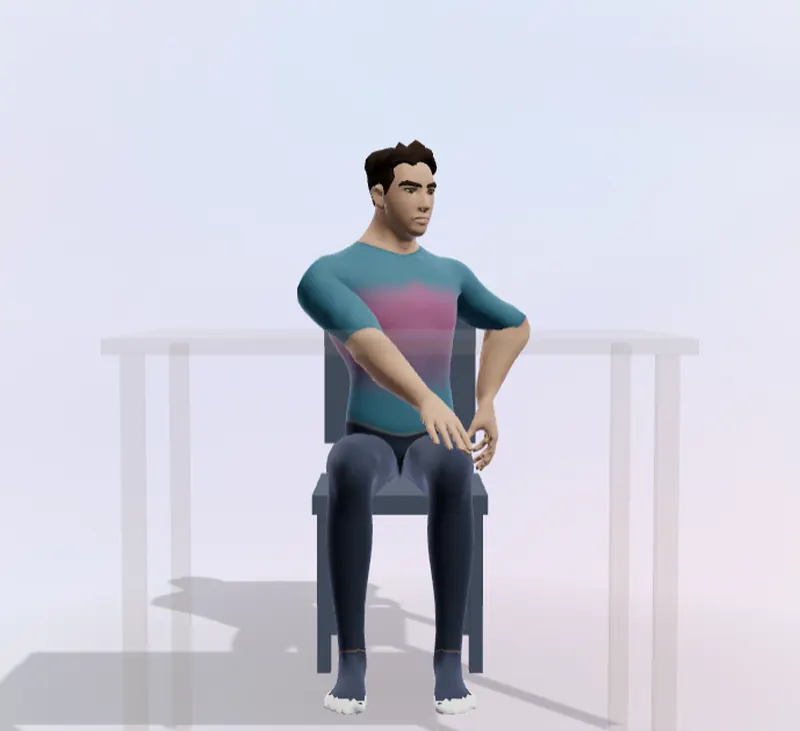 Seated twist
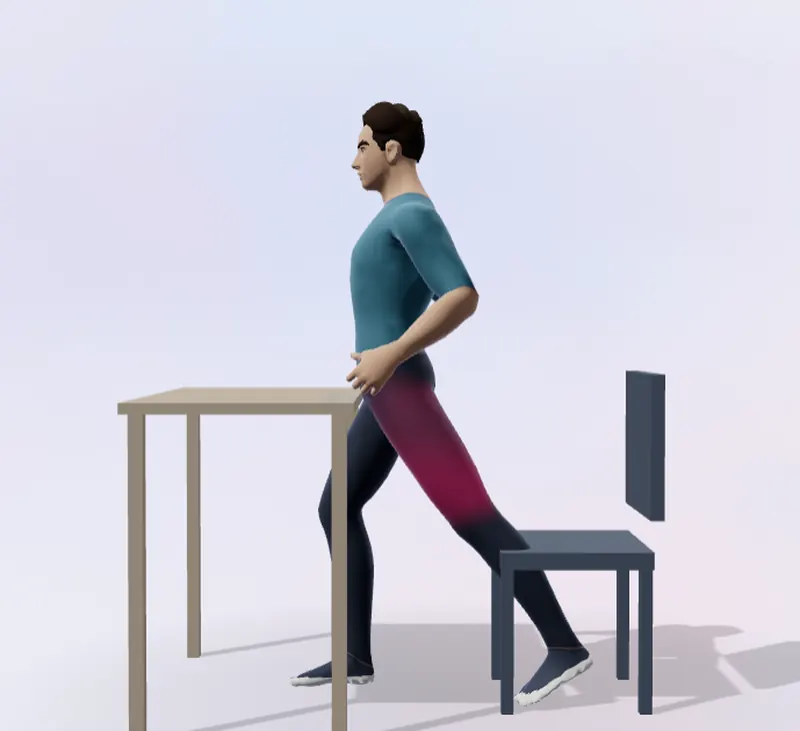 Standing hip-flexor stretch
 Wrist extensor stretch
 20-20-20 eye break
Questions
- Is Posture free?
- Yes. There's no account and no subscription.
- Does it work on Windows?
- Yes. Download the Windows app (an installer, or a portable version that needs no install) and it sits in the system tray like the Mac app. On a PC where you can't install apps, open Posture in Edge or Chrome and choose Install.
- Does it use my camera or microphone?
- No. On Mac it only checks whether another app is already using them, so it doesn't interrupt a call. It never turns them on, and nothing is recorded.
- Where is my data stored?
- On your device. Your settings and break history stay in the app, and none of it is sent to us. There's no account.
- How often should I take a movement break?
- About every 30 minutes. Research on breaking up sitting mostly tests breaks every 20–30 minutes, and doing it regularly matters more than the exact interval.
- Is this medical advice?
- No. Posture is general wellness guidance. If you have pain, an injury or a health condition, check with a clinician; the app's health check leaves out moves that don't suit common conditions.